
Disclosure: we may earn a commission if you buy through links on this page, at no extra cost to you. It never changes our verdict. How we review
Cloudways gives you a managed cloud server for WordPress, WooCommerce and PHP apps without having to run the server yourself. Prices start at $14 a month for a 1 GB DigitalOcean server, billed monthly for what you use, with no long contract and a 5-day free trial that needs no credit card. It’s noticeably faster and more flexible than shared hosting, and much cheaper than premium managed WordPress hosts. The trade-offs: it costs more than shared hosting, backups, email and some security tools are billed extra, and there’s no cPanel. It’s best for growing sites, stores and agencies that have outgrown shared hosting.
Most people start on shared hosting, where hundreds of sites share one server. When your site gets busier, or you start selling online, that setup starts to show its limits. Cloudways is one of the most popular next steps: you pick a cloud provider and server size, and Cloudways sets up and looks after the server for you.
Here’s how Cloudways works, what it really costs once you add the extras, and who it suits. We checked prices and features on Cloudways’ website in November 2026.
What is Cloudways?
Cloudways is a managed cloud hosting platform owned by DigitalOcean. Instead of selling you space on its own servers, it launches a server for you on a big cloud provider (DigitalOcean, Vultr, Linode, Amazon Web Services or Google Cloud) and handles the setup, security patches, caching and monitoring. You manage your websites from Cloudways’ own dashboard.
It now sells four products. Flexible is the classic Cloudways platform most people mean, with a server you size yourself. Autonomous is fully managed WordPress hosting that scales automatically for busy stores and learning sites. Cloudways also lists Velocity and an AI Agents product. This review focuses on Flexible, with a look at Autonomous.
Plans and pricing
| Plan (DigitalOcean Premium) | RAM / vCPU | NVMe storage | Bandwidth | Price per month |
|---|---|---|---|---|
| Micro | 1 GB / 1 | 25 GB | 1 TB | $14 |
| Small | 2 GB / 1 | 50 GB | 2 TB | $28 |
| Medium | 4 GB / 2 | 80 GB | 4 TB | $54 |
| Large | 8 GB / 4 | 160 GB | 5 TB | $99 |
Prices in US dollars from Cloudways’ pricing page, checked November 2026, before tax. These are the default DigitalOcean Premium servers; Vultr, Linode, AWS and Google Cloud are priced differently, and AWS and Google Cloud prices vary by region. Every plan allows unlimited websites and visits, limited only by what the server can handle.
Billing is pay-as-you-go. Cloudways tracks usage by the hour and sends one invoice on the 1st of each month for the month before. If you change plans halfway through a month, you pay each plan for the days you used it. There are no annual contracts, though you can add credit to your account in advance if you prefer to prepay.
Autonomous is priced differently: $99 a month (Growth), $199 (Scale) or $399 (Plus) for one website, with autoscaling, Cloudflare Enterprise CDN, Object Cache Pro, malware protection and unlimited off-site backups included. Extra disk space is $1 per GB and extra bandwidth $0.04 per GB, plus an hourly charge if traffic spikes push it beyond its baseline servers. It has a 3-day free trial.
What you’ll really pay
The server price isn’t the whole bill. These are the extras most people end up paying for:
| Extra | Cost |
|---|---|
| Off-site backups | $0.033 per GB (about $0.50 per 15 GB) |
| Business email (Rackspace) | $1.50 per mailbox a month |
| Cloudflare Enterprise CDN | From $4.99 per domain a month |
| Malware protection | From $4 per app a month |
| Extra bandwidth | $0.02 per GB on DigitalOcean and Linode, more on AWS and Google Cloud |
| Advanced support | $100 a month |
| Tax | Added in some countries |
For example, one small WordPress site on the Micro server with about 10 GB of backups and two email accounts costs roughly $17 to $18 a month. A WooCommerce store on the Medium server with Cloudflare Enterprise and malware protection comes to about $63 a month before email. That’s more than shared hosting, where a first-year deal can be $3 a month, but there are no renewal price jumps: the price you see is the price you keep paying.
Features
- Lightning Stack: Cloudways’ server setup with built-in caching for WordPress and PHP apps.
- Object Cache Pro and Redis: included for free; Object Cache Pro is enabled on 4 GB servers and above, and Cloudways says it normally costs $95 a month.
- Staging and cloning: create a staging copy of a site, test changes and push them live with one click.
- Automated backups: scheduled or on-demand, with one-click restores (storage billed per GB).
- Security: a server firewall (Imunify360), bot and brute-force protection, free Let’s Encrypt SSL and a WordPress vulnerability scanner.
- Free migration: Cloudways’ engineers move your first website for free from any host.
- Developer tools: SSH and SFTP, multiple PHP versions, Git and a built-in database manager.
What you don’t get is cPanel or included email. Cloudways uses its own dashboard, and email is a paid add-on through Rackspace. Domain registration also isn’t included, so you’ll buy your domain elsewhere.
Performance and scaling
Your sites run on a server with dedicated resources rather than sharing one with hundreds of other accounts, and Cloudways uses NVMe storage and server-level caching. In practice, that is the main reason people move to Cloudways: busy WordPress sites and WooCommerce stores, which can’t rely on page caching alone, usually run more smoothly on a dedicated cloud server than on cheap shared hosting.
When you need more power, you can scale the server up from the dashboard. You can also pick the cloud provider and data center closest to your visitors, from more than 50 locations. If you expect sudden traffic spikes, such as flash sales or course launches, Autonomous adds automatic scaling, load balancing and failover, at a much higher price.
Ease of use
Cloudways is easier than running a server yourself, but it isn’t as simple as a beginner shared host. You launch a server, then add applications such as WordPress or WooCommerce to it, and manage server settings and site settings in separate parts of the dashboard. Things like pointing your domain, setting up email and adding SSL take a few more steps than on hosts that bundle everything.
If you’re comfortable with WordPress and a little technical, it won’t take long to learn. If you want a host that handles your domain, email and website in one place, a shared host like SiteGround or Hostinger is simpler. Our guide to choosing a web host explains the difference.
Support and billing
- Support: 24/7 live chat and tickets on every plan, plus email. Help with plugins, themes and performance tuning needs the Advanced Support add-on ($100 a month).
- Free trial: 5 days on Flexible with no credit card, using DigitalOcean, Vultr or Linode. The server is deleted at the end unless you add a payment method.
- Refunds: we didn’t find a money-back guarantee on Cloudways’ pricing page; the free trial is the way to test it before paying.
- Payment: Visa, Mastercard, American Express or PayPal.
- Cancelling: delete your servers and paid add-ons to stop billing; you get a final invoice for usage up to that day.
Things to know before you sign up
- It costs more than shared hosting. Expect $14 to $18 a month for a small site once backups and email are added.
- Backups and email are extra. Budget for both.
- No cPanel, no free domain. You’ll use Cloudways’ dashboard and register your domain elsewhere.
- AWS and Google Cloud cost more and vary by region; DigitalOcean, Vultr and Linode are the better value for most sites.
- Basic support covers the server, not your plugins or theme, unless you pay for Advanced Support.
Who is Cloudways a good fit for?
A good fit if you…
Pros- have outgrown shared hosting
- run a WooCommerce store or busy WordPress site
- want to pay monthly with no renewal price jumps
- manage several client sites as an agency
- want to choose your cloud provider and location
- are comfortable with a little technical setup
Look elsewhere if you…
Cons- are building your first small site on a tight budget
- want email and a domain included
- want cPanel
- need a money-back guarantee
- want fully hands-off support for plugins and themes
Our take: Cloudways is one of the best-value ways to move up from shared hosting. You get a fast, managed cloud server for a fraction of what premium managed WordPress hosts charge, with monthly billing and no renewal surprises. Just budget for the extras. Use the Cloudways WordPress setup for blogs and business sites, or Cloudways for WooCommerce for stores. For more options, see our guides to the best WordPress hosting and best WooCommerce hosting, or compare premium managed hosts in Kinsta vs WP Engine.
Cloudways is a strong choice for growing WordPress sites, WooCommerce stores and agencies: dedicated cloud resources, good caching tools, monthly billing and a free trial with no card. It isn’t the cheapest option for a small first site, and backups, email and advanced support cost extra.
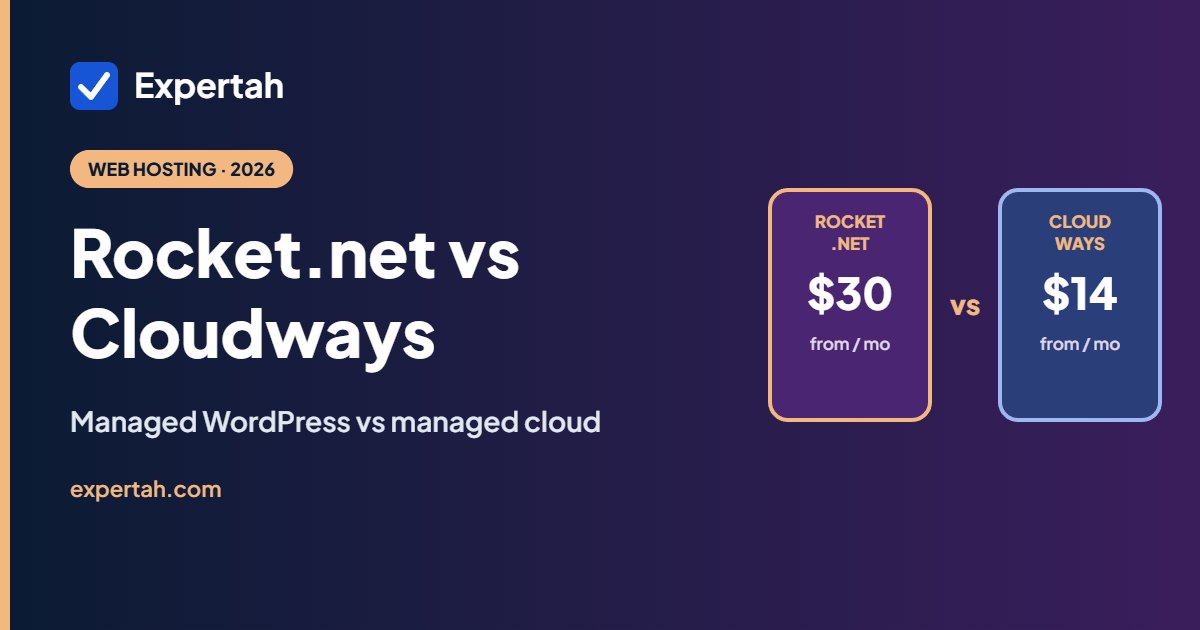
Want everything bundled instead? Rocket.net vs Cloudways compares the real monthly cost once you add Cloudways’ extras, and our Rocket.net review covers it in full.
Frequently asked questions
Is Cloudways good for beginners?
It’s manageable if you’re comfortable with WordPress, but it takes more setup than shared hosting. Beginners building a first small site are usually better served by a shared host that includes email and a domain.
How much does Cloudways cost?
Flexible plans start at $14 a month for a 1 GB DigitalOcean Premium server, billed monthly for what you use. Off-site backups ($0.033 per GB), email and some add-ons cost extra. Autonomous starts at $99 a month.
Does Cloudways have a free trial?
Yes. Flexible has a 5-day free trial with no credit card needed, on DigitalOcean, Vultr or Linode. Autonomous has a 3-day trial.
Does Cloudways include email?
No. Business email is available through Rackspace for $1.50 per mailbox a month.
Is Cloudways good for WooCommerce?
Yes. Dedicated server resources, Redis and Object Cache Pro help stores with lots of products and logged-in shoppers. A 2 GB or 4 GB server is a sensible starting point for most stores.
Can I cancel Cloudways any time?
Yes. There’s no contract; delete your servers and add-ons to stop billing, and you’ll get a final invoice for usage up to that point.

Leave A Comment