
The finished Gulf Breeze Gutters homepage, built with Bluehost AI Builder.
Paid partnership with Bluehost. Bluehost paid me to try AI Builder and write about it, and I earn a commission if you sign up through my links. Everything below is what I actually saw in my own build. How we review
I typed one sentence into Bluehost AI Builder and a few minutes later had an eight-page website for a Southwest Florida gutter company, colored to match my logo, with services and prices, a quote form, a gallery and a tap-to-call bar on phones. When I went back with more changes, it added a working booking page and wrote SEO titles for every page, all by chat and with no code. I came away impressed. It’s $0 to start, no credit card, and paid plans from $20/mo.
I earn a commission if you sign up through this link.
Most website builders hand you a template and a long afternoon of dragging boxes around. Bluehost AI Builder works the other way: you describe the business in plain English, it builds the site, and you refine it by chatting. I wanted to know if that holds up for the kind of business our readers actually run, so I built a site for a made-up local company, Gulf Breeze Gutters, a gutter cleaning and repair outfit covering Port Charlotte down to Fort Myers.
Honestly, I was impressed by how easy it was to use and how good the finished site looked. The few times it got stuck, it didn’t charge me a credit for the request that failed. Here’s the build from start to finish.
Step 1: one sentence in
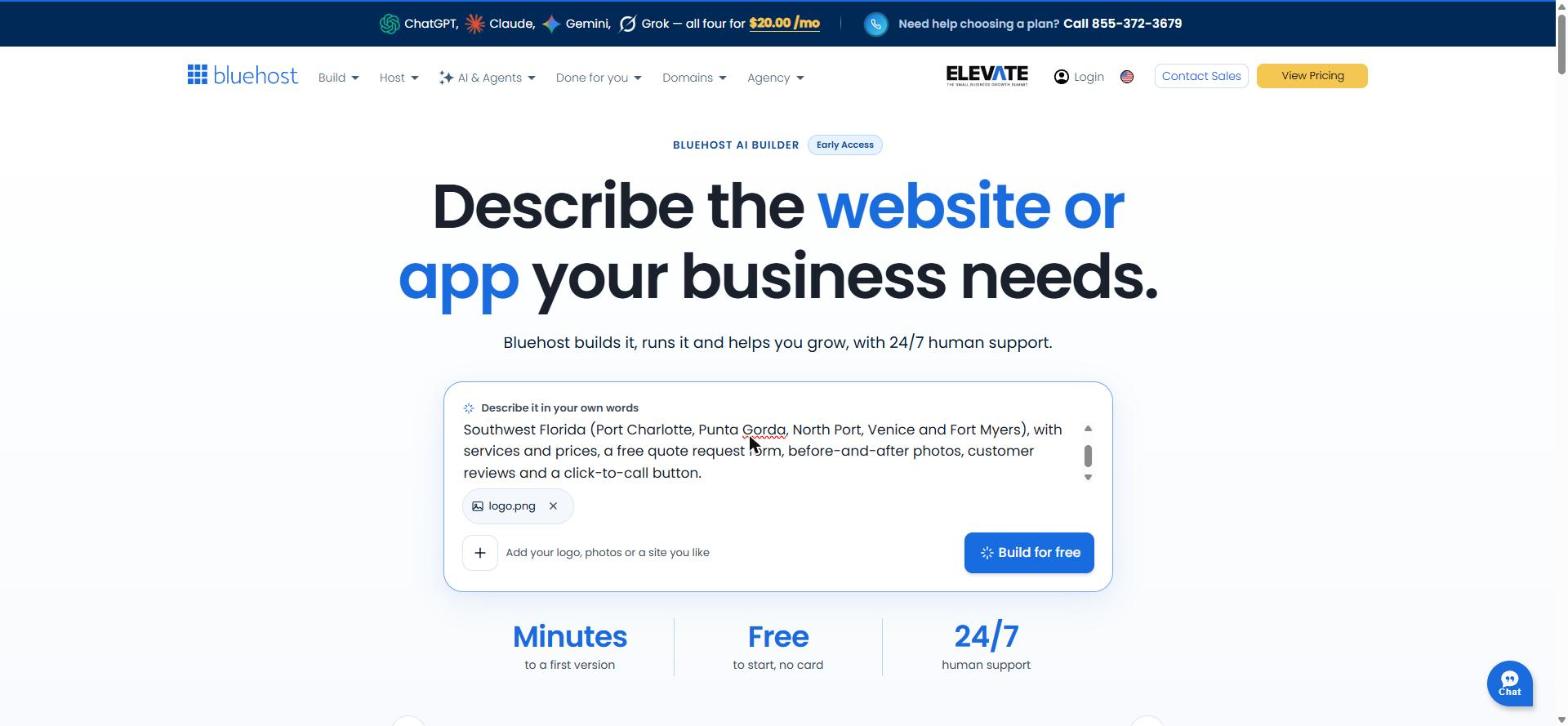
The start screen is a single box that says “Describe it in your own words,” with a + button for a logo, photos or a site you like. I attached a logo I’d made for the business and typed this:
Build a website for Gulf Breeze Gutters, a gutter cleaning and repair company serving Southwest Florida (Port Charlotte, Punta Gorda, North Port, Venice and Fort Myers), with services and prices, a free quote request form, before-and-after photos, customer reviews and a click-to-call button.
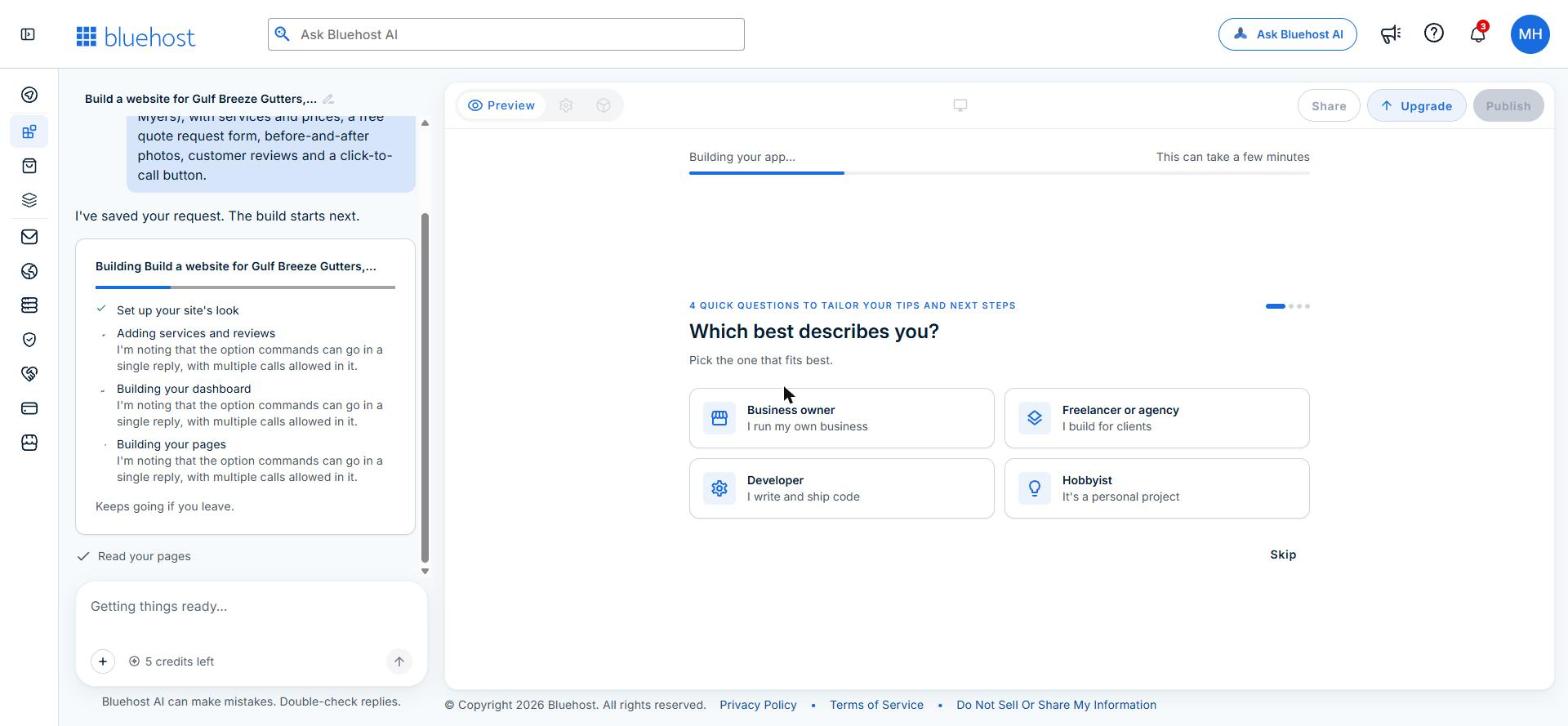
After clicking Build for free, the editor opened with my prompt in a chat panel on the left and a preview area on the right. While it worked, it showed a checklist (set up the site’s look, add services and reviews, build pages) and asked four optional questions about who I am so it could tailor its tips. It also says the build keeps going if you leave the page, which is handy.
Step 2: the first version
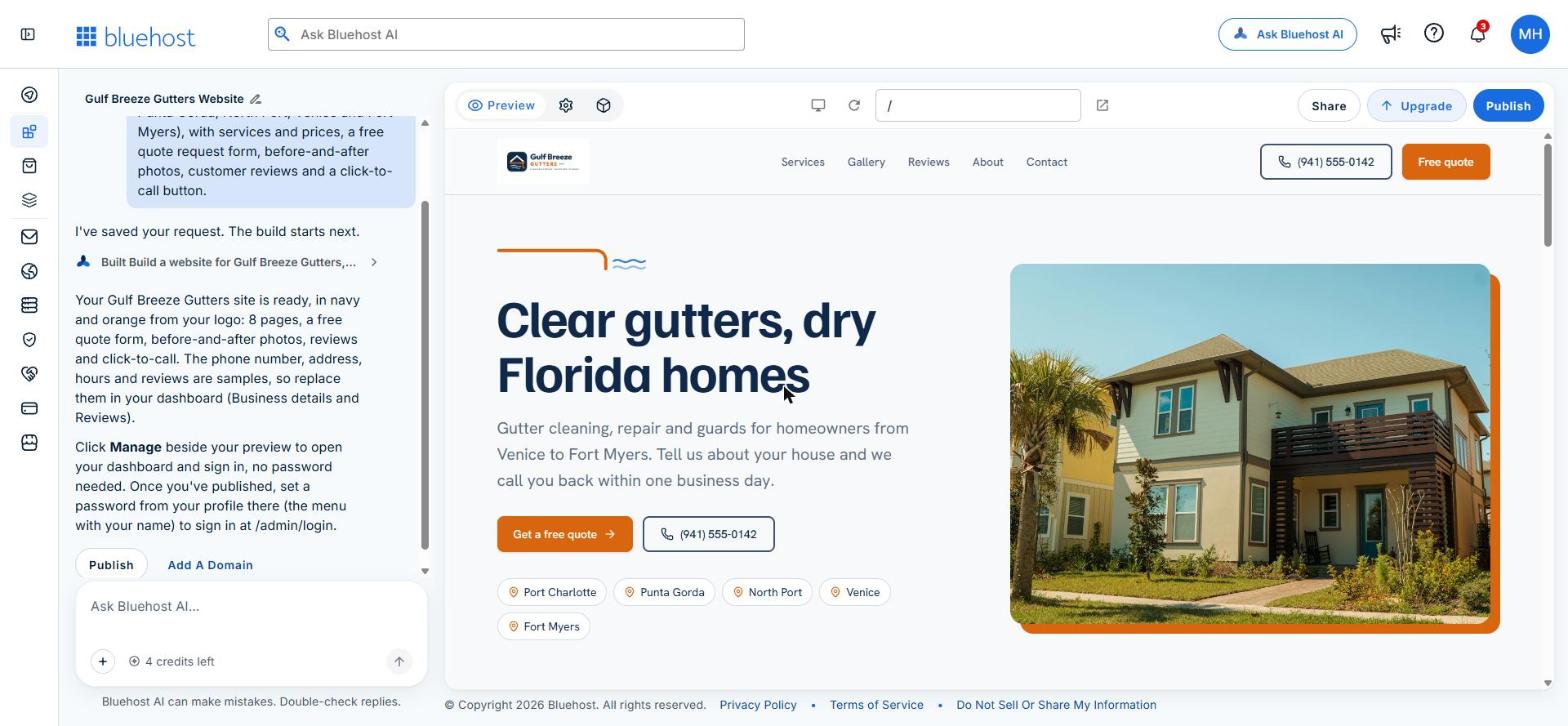
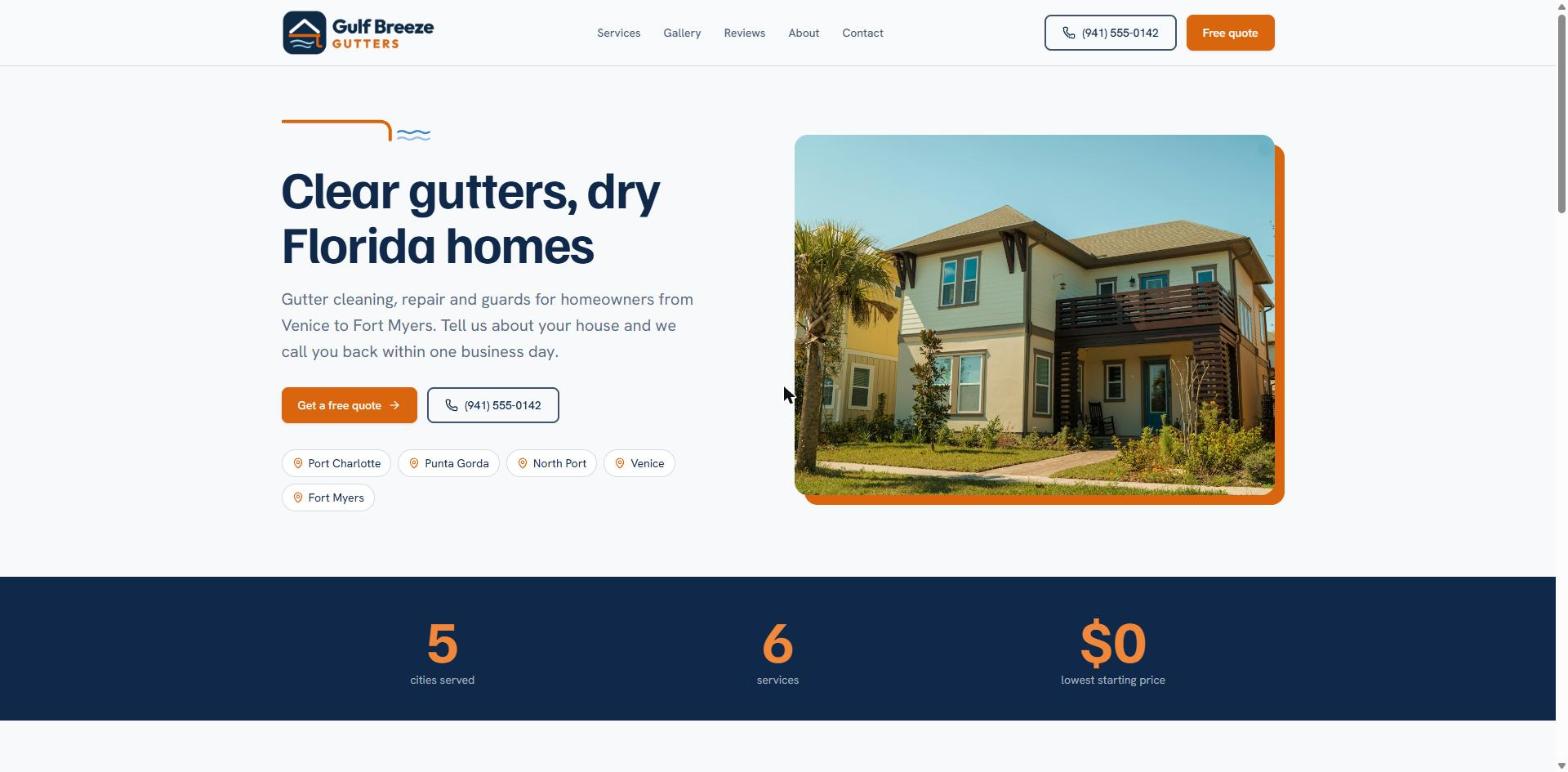
A few minutes later I had a finished-looking site. The part I loved most was the branding. I never told it what colors to use. It pulled the navy and orange straight out of my logo and carried them through every page: buttons, headings, the call-to-action band, even the footer. It also drew a little gutter-and-breeze line above the headline that echoes the logo. That’s the kind of detail I’d expect from a designer, not from a one-sentence prompt, and it made the site look like it belonged to a real business from the very first version. The homepage led with “Clear gutters, dry Florida homes,” a free quote button, a call button and tags for all five cities I’d listed.
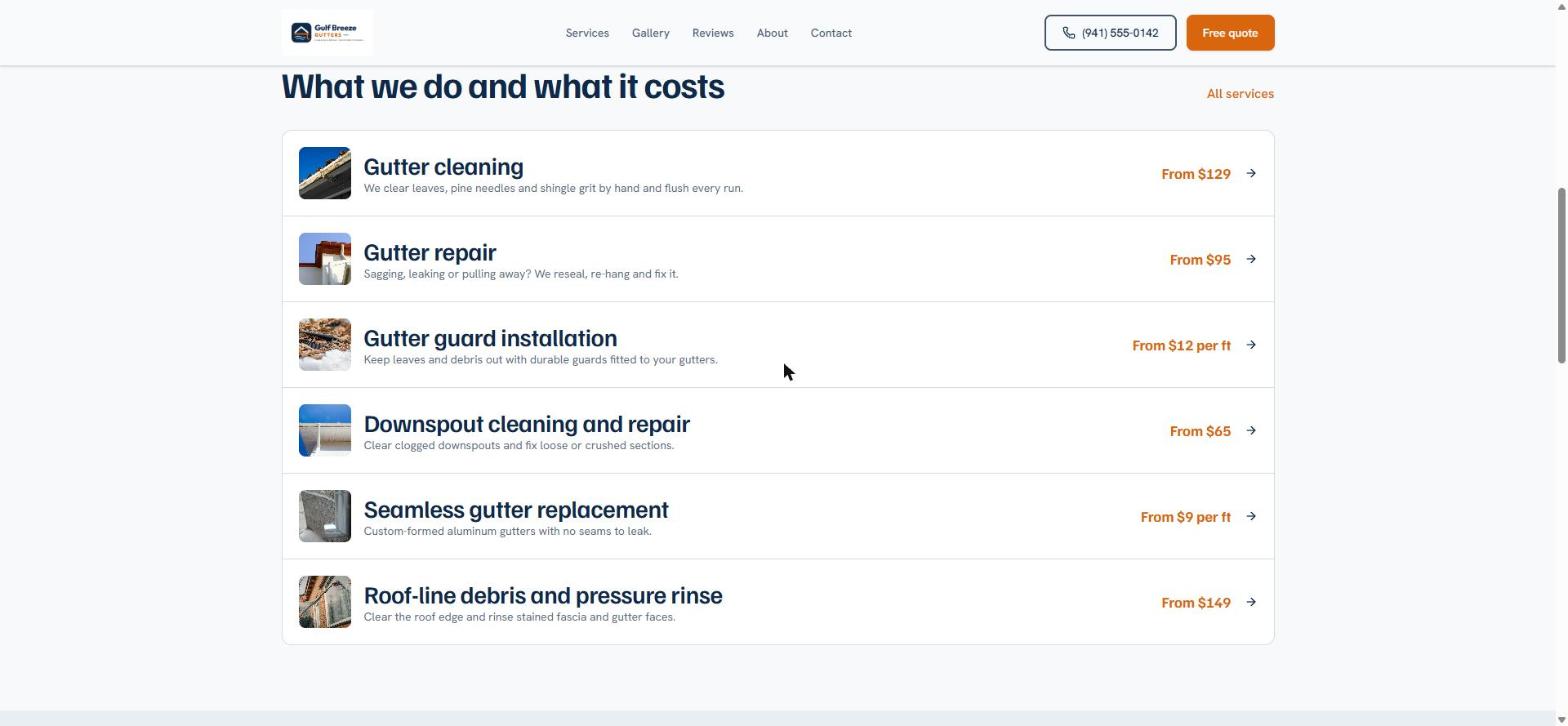
It built eight pages in total. The services page lists six jobs with a starting price for each, from gutter cleaning to seamless gutter replacement, and every row links to a detail page. There’s a before-and-after gallery, a reviews section with a star average, an orange call-to-action band and a footer with service areas and hours.
The chat told me straight away that the phone number, address, hours and reviews were samples, and pointed me to where to replace them. The footer even labels the hours “Sample hours.”
About the photos
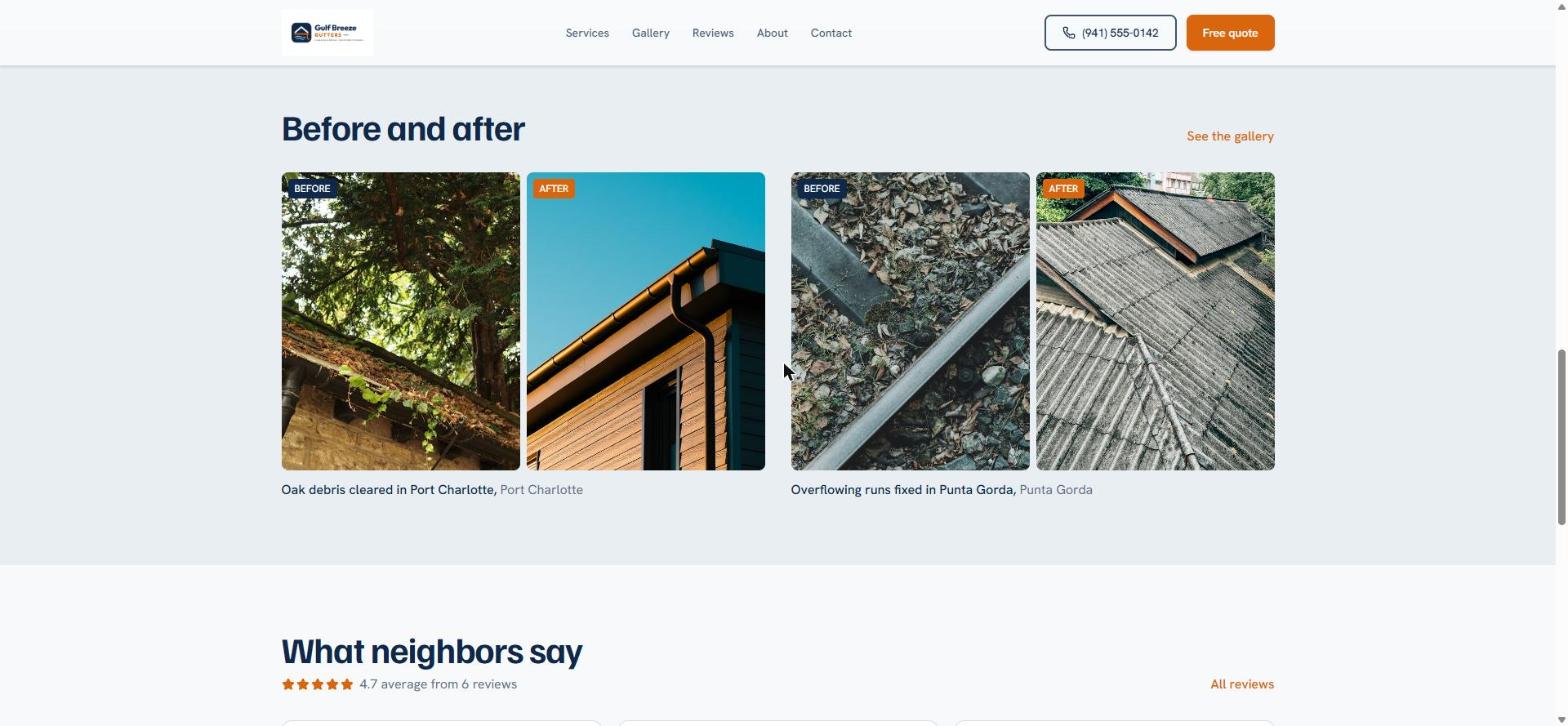
AI Builder fills every section with real photos instead of gray boxes, which makes the first version feel finished and helps you picture the end result. I checked where they come from: they’re Unsplash stock images, which Unsplash licenses for free commercial use. Still, use your own photos before you launch, especially in the before-and-after gallery. My “before” and “after” pairs were different houses, and a couple clearly weren’t in Florida. Customers want to see your work on homes like theirs.
Step 3: refining it by chat
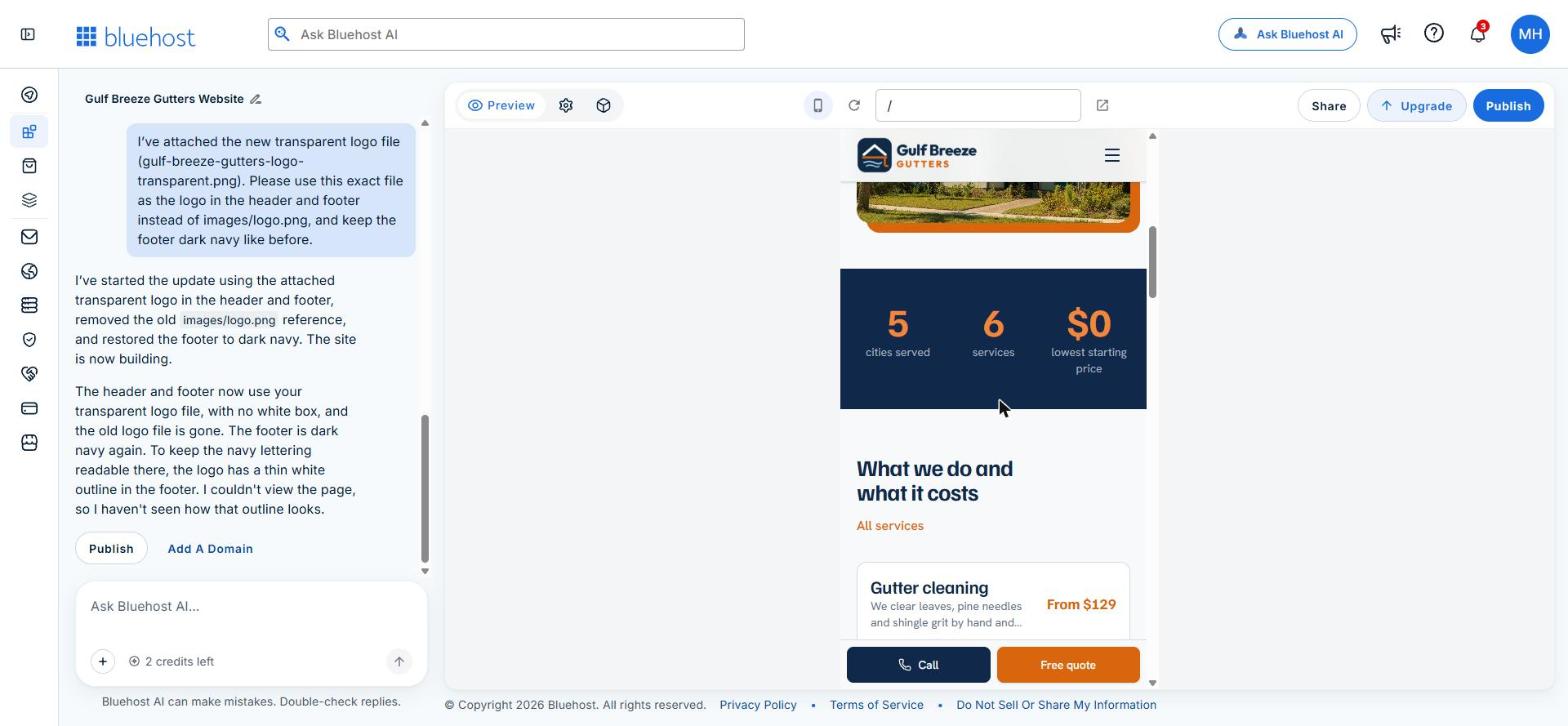
Edits happen in the same chat box. My logo had come through as a large image with a white background, so it sat in a white box in the header. I made a cropped, transparent version and asked AI Builder to swap it in, remove the white box and make it larger.
The first time, it replied that the logo was replaced, but the site still showed the old file. Looking back, my new file hadn’t actually attached to the message, and the AI said it was done without checking. It did say “I haven’t viewed the pages since the change,” which in hindsight was the clue. On the second try, with the file attached and named in the message, it worked: crisp logo in the header, no box, and in the dark footer it added a thin outline so the navy lettering stays readable.
From then on I refreshed the preview after every edit before sending the next one.
Step 4: the phone view
The preview has a phone toggle at the top, and the mobile layout is one of the strongest parts of the build for a local service business. The menu collapses, the stats and service cards stack cleanly, and a sticky Call and Free quote bar stays at the bottom of the screen the whole time. Calling the business is one tap from any page.
When you’re happy, a Publish button puts the site live. On the free plan it publishes on a Bluehost subdomain; connecting your own domain name requires a paid plan.
Step 5: going back for more changes (November 17 update)
A few days after the first build, I logged back in expecting to find my two leftover credits. Instead I had five fresh ones. The free plan gives you 5 credits a day, up to 30 in any 30-day stretch, and leftovers don’t stack. So I went back to Gulf Breeze Gutters and asked for the kind of changes a real owner would make in the first month: swap out the sample content, fix the photos, add a service area and a booking page, and get the site ready for Google. Here’s how each request went.
Replacing the sample reviews: worked first try
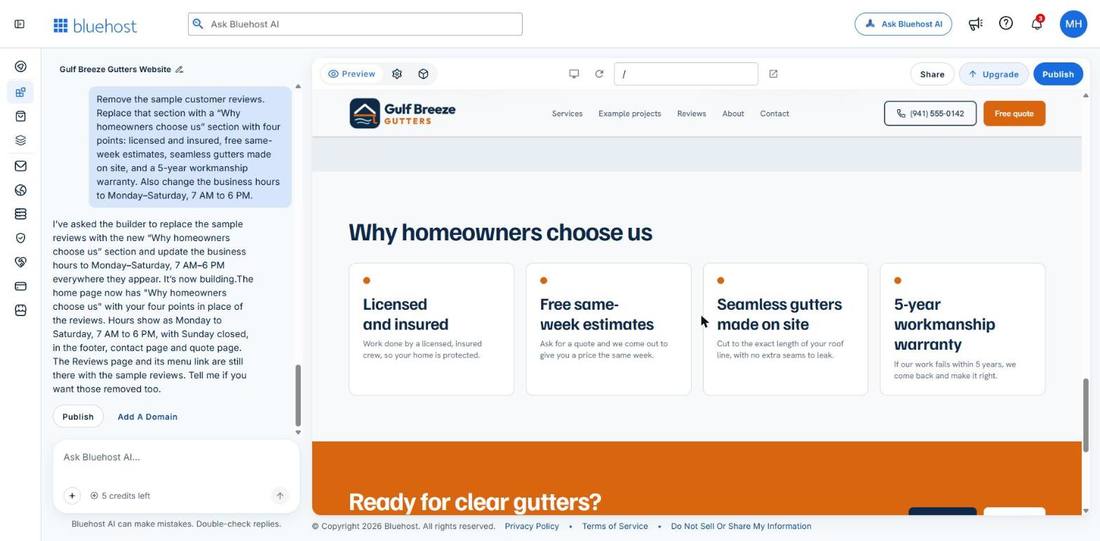
I asked it to remove the fake customer reviews and replace them with a “Why homeowners choose us” section with four points, and to change the hours to Monday to Saturday, 7 AM to 6 PM. It did both in one go, wrote a short line under each point, and updated the hours in all three places they appeared: the footer, the contact page and the quote page. Then it told me the separate Reviews page still had the sample reviews and asked if I wanted those gone too. That’s a real improvement on the first build, where it reported an edit as done without checking.
Fixing the photos
Next I had it delete the Reviews page and replace the mismatched before-and-after pairs with single project photos and captions. The menu updated and each photo got a location caption, like “Seamless gutter install, Port Charlotte.” But the AI still picks stock photos, so a “downspout repair” caption sat under a picture of a red window. Plan on uploading your own job photos; the site even says “Your own job photos go here.”
Adding a map: it stalled
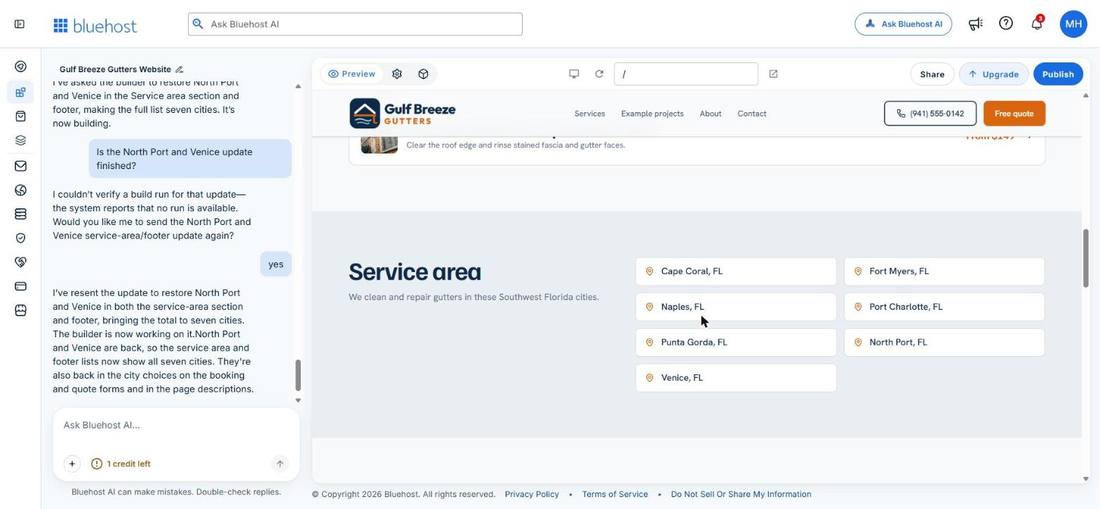
I asked for a “Service area” section with five cities and a map. It said it was building, then nothing happened for about eight minutes. So I sent another message telling it to skip the map if that was what was holding it up. That worked: it added the section as a clean list of cities with pin icons, just without the map.
A booking page from one sentence
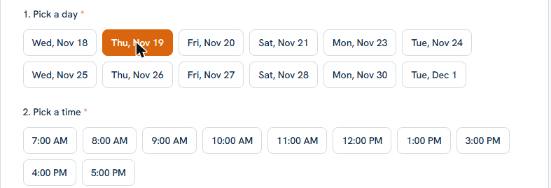
In the same message I asked for a booking page where customers pick a date and time for a free estimate. It built a “Book your free estimate” page with clickable days that skip Sundays (the business is closed), hourly time slots that stay inside the business hours, fields for name, phone, email, city, address and service, and a “Prefer to talk?” box with the phone number. Every “Free quote” button on the site now goes there, and it says bookings show up in the dashboard.
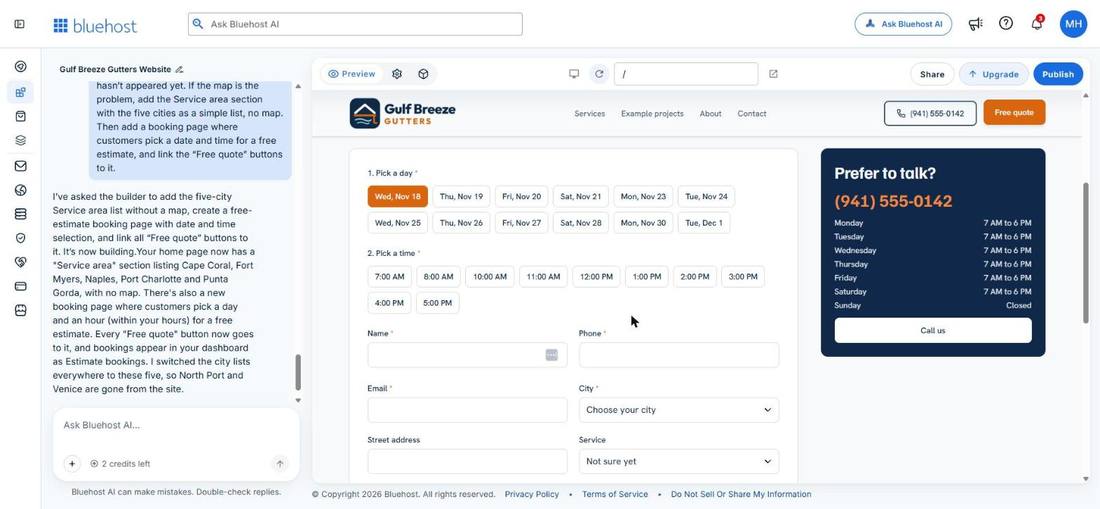
One detail I ended up liking: a few times were missing on certain days. Wednesday had no 9 AM slot, while Thursday had 9 AM but no 2 PM. The AI couldn’t tell me exactly why (it said it can’t see the booking records), but it looks like a few slots are held back so the calendar doesn’t look wide open. A real contractor’s schedule is never completely empty, so a booking page with a few taken times looks more like an established business. Before you go live, open Estimate bookings in your dashboard to see which times customers can actually pick.
It deleted two cities without being asked
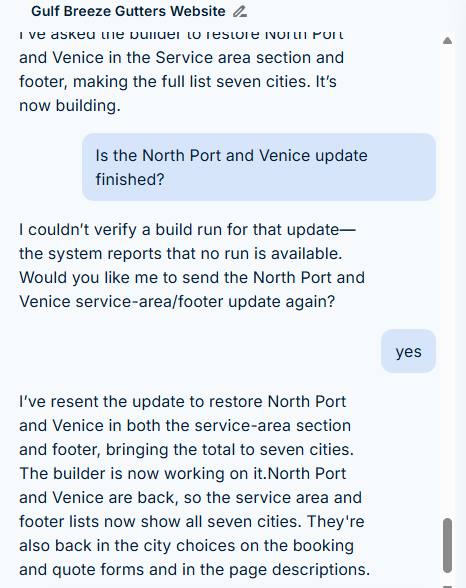
While it was adding the service area, it also trimmed the city lists elsewhere on the site and quietly deleted North Port and Venice, two cities that had been there since the first build. I hadn’t asked for that. I asked it to put them back. It said it was building, then hung again. When I asked whether the update was finished, it admitted there was no build running at all, offered to resend it, and the second try worked: seven cities in the service area, the footer and the booking form.
SEO titles and descriptions
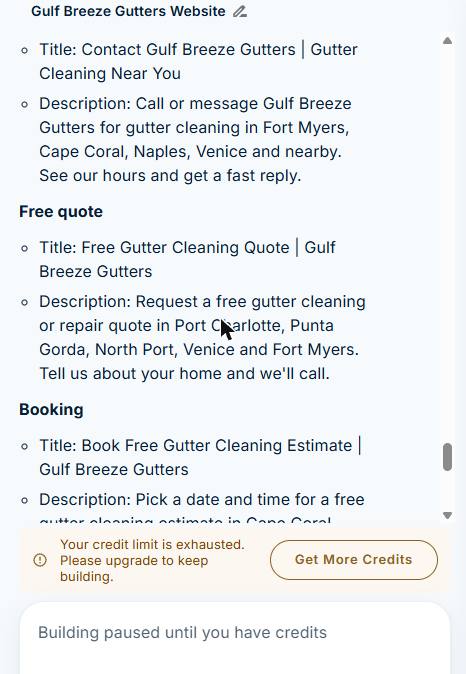
With my last credit I asked it to write a search title and meta description for every page using “gutter cleaning” and the city names, and to tell me what it changed. It handled all seven pages, kept each title around 50 to 60 characters, spread the cities across pages instead of stuffing them all into one, and listed every title and description in the chat so I could check them. Only the titles and descriptions changed; nothing visible on the site moved.
How the credits got used
Five requests used my five daily credits, but not every message cost one. Questions, like “why are some times missing?”, didn’t use a credit, and the request that never actually started didn’t either. When the credits ran out, the builder paused but the site stayed up. On the free plan you get 5 credits a day, so if a change is big, bundle it into one clear message and check the preview afterward.
Simple content changes were fast and accurate, and the booking page was impressive for one sentence of instructions. It struggled with requests that touched several parts of the site at once, and twice it said “building” when nothing was happening. When a build hung, asking whether it had finished got it going again. Try Bluehost AI Builder: $0 to start, no credit card.
Pricing and how credits work
Bluehost AI Builder is $0 to start, no credit card, and paid plans from $20/mo. Building and editing with the AI uses credits, and my free account started with five. The first build used one, and each chat edit used one, so after the build and two logo edits I had two left. Bluehost says your site stays online even if you run out of credits; you just can’t make more AI changes until you have credits again.
| Plan | Price | AI credits | Where your site lives |
|---|---|---|---|
| Free | $0 to start, no credit card | 5 a day, up to 30 a month | A free Bluehost AI Builder address |
| Lite | Paid plans from $20/mo | 100 a month | Your own domain |
| Standard | See Bluehost for current price | 200 a month | Your own domain |
| Pro | See Bluehost for current price | 400 a month | Your own domain |
Plans from Bluehost’s AI Builder help center, November 2026. Paid plans can also be billed yearly, and you can buy credit top-ups when you run low. Hosting is included on every plan, and keeping your site online never uses credits.
Plan your edits before you send them. Bundle related changes into one message (“change the colors, shorten the quote form and add a service-area section”) rather than spending a credit on each.
Ready to try it? Start a Bluehost AI Builder site free. No credit card needed. I earn a commission if you sign up through this link.
Rough edges to know about
- Check edits yourself. One edit was reported as done before it actually was. Always refresh the preview.
- Some edits stall. Twice a request sat on “building” without finishing. Asking “is it finished?” got it moving again, and neither one cost a credit.
- It’s early access. During one build, a stray line of the AI’s working notes showed up in the progress checklist. Harmless, but a sign the product is still being polished.
Who Bluehost AI Builder is for
A good fit if you…
Pros- run a local service business and need a site this week
- want a site that matches your logo without hiring a designer
- prefer describing changes to dragging boxes around
- want a strong phone layout with call and quote buttons
- want to try it free before paying anything
Look elsewhere if you…
Cons- want to sell products online (Bluehost points sellers to its AI Store instead)
- need your own domain without paying for a plan
- want fine, pixel-level control over the design
If you’d rather build on WordPress with more control, see our best WordPress hosting picks or our GreenGeeks vs Bluehost comparison.
Frequently asked questions
Is Bluehost AI Builder free?
It’s $0 to start, no credit card. Paid plans start from $20/mo. The free plan publishes on a Bluehost subdomain, and building or editing with AI uses credits.
Can I use my own domain?
Yes, but connecting your own domain requires a paid plan. The free plan uses a Bluehost subdomain.
What happens when I run out of credits?
According to Bluehost, your site stays online. You just can’t make more AI edits until you have credits again.
Can I build an online store with it?
AI Builder is meant for websites and web apps, not stores. For selling products, Bluehost points you to its separate AI Store.
Can I use the photos it adds?
The ones on my site came from Unsplash, which allows free commercial use. For a real business, your own photos will build more trust, especially for before-and-after work.
Bluehost AI Builder got me from one sentence to a polished, phone-friendly website for a local service business in minutes, and it matched my logo better than most templates would. It isn’t hands-off: you’ll plan your credits and double-check each edit. Coming back to it, the booking page it built from one sentence was the standout, and the stalls were easy to work around once I knew to ask whether a build had finished. For a small business owner who needs a professional site without learning a page builder, the free plan is enough to find out if it fits.
I earn a commission if you sign up through this link.




Leave A Comment